Dolby / AC3 audio
Dolby and AC3 on Windows 11
Dolby Access and AC3/Dolby Digital playback are related, but they are not always the same fix. The right route depends on whether you need Dolby device features, missing AC3 audio playback, or a desktop player path.
Which Dolby or AC3 route should you choose?
| Situation | Best route |
|---|---|
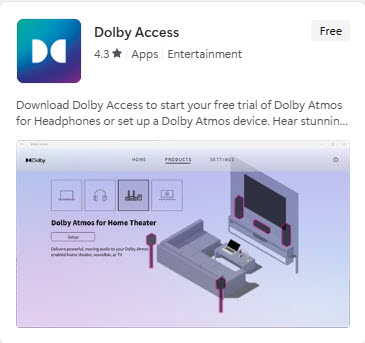
| You want Dolby Atmos setup, supported device features or headphone trial options | Check Dolby Access in the Microsoft Store. |
| Your video plays but has no AC3/Dolby Digital audio | Check AC3 codec support and try playback in a compatible desktop player. |
| You want local playback in a desktop player | Use Windows 11 Codec Pack with the included Media Player Classic Home Cinema. |
| You are unsure whether the problem is audio or video | Start with the missing codec troubleshooting guide. |
Why Store status can be confusing
The Microsoft Store may show Dolby Access as free, trial-based, already owned, or tied to a device entitlement. What a user sees can vary depending on Windows installation, Microsoft account, region and hardware.
FAQ
Dolby and AC3 frequently asked questions
Is Dolby Access the same as an AC3 codec fix?
No. Dolby Access is for Dolby experiences and supported device setup. AC3/Dolby Digital playback can also depend on the file, player, Windows build and codec support.
Why does a video play with no audio on Windows 11?
The file may contain an audio stream such as AC3, E-AC3 or DTS that the current app cannot decode, even if the video stream itself plays.
Can a desktop codec-pack route help AC3 audio?
It can help when playback is through a compatible desktop player such as the included Media Player Classic Home Cinema route. It should not be described as a universal fix for every Windows app.