HEVC / H.265 decision guide
HEVC Codec for Windows 11
HEVC playback depends on where you want the video to play. Windows media apps, a browser web player and a desktop player can each need a different route.
Quick answer: which HEVC option should you choose?
| What you want | Best route | Why |
|---|---|---|
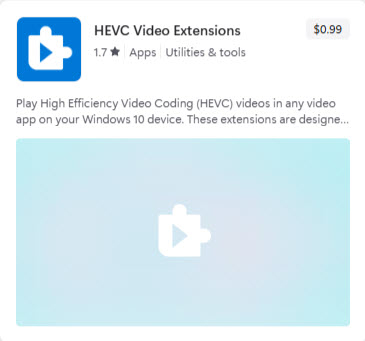
| Play HEVC in Microsoft’s Windows media apps | a href=" https://apps.microsoft.com/detail/9nmzlz57r3t7" rel="nofollow noopener" target="_blank">Microsoft HEVC Video Extensions | This is the Microsoft media-framework route for Windows apps. |
| Open one HEVC file without installing anything | HEVC.now web player | Fastest low-commitment route for occasional playback. |
| Use a desktop player route | a href=" https://www.windows11codecpack.com/">Windows 11 Codec Pack + MPC-HC | Useful when you want local playback in the included Media Player Classic Home Cinema. |
Why Microsoft Store HEVC pricing can vary
Some Windows 11 users see HEVC Video Extensions as a paid Store item, while others may see HEVC support as already available, previously owned, included with the device, or unavailable.
This can depend on the Windows build, manufacturer licensing, region, Microsoft account entitlement, and whether support was bundled with the original device purchase.
When the codec pack route fits
Windows 11 Codec Pack is useful for HEVC playback when you play the file through the included Media Player Classic Home Cinema or another compatible desktop player. It should not be described as a guaranteed replacement for Microsoft’s HEVC Video Extensions inside every Windows app.
FAQ
HEVC frequently asked questions
Is HEVC the same as H.265?
Yes. HEVC stands for High Efficiency Video Coding and is also commonly called H.265.
Should I use Microsoft HEVC Video Extensions or a codec pack?
Use Microsoft HEVC Video Extensions when you need HEVC inside Windows media apps. Use the codec-pack route when you want local playback in the included desktop player.
Why does the Microsoft Store show HEVC as free for some users and paid for others?
Store status can vary by device, Windows build, region, Microsoft account, OEM entitlement and prior acquisition. Always check the Store on the device where playback is needed.
Can I play HEVC without installing anything?
For occasional playback, try the HEVC web player first. Browser support varies, but it is the lowest-friction test.